ESP
Agent health distance.
Agent ESP marks the player with health shield agent name equipment and distance. Skeleton ESP and boxes are separate toggles.
- Agent name and rank
- Health and shield bars
- Distance value
- Boxes and skeletons
- Enemy only filter
ESP aimbot and wallhack tools for Valorant on PC. Agent boxes spike tracking and aim settings sit in one overlay.

Listed
Visible check
Hours
Patch follow-up
Listed
Spike timer
Tickets
Support
Features
Valorant cheats on this site group player ESP with ability markers spike tracking and a tuned aimbot. Each switch has its own tab.
Agent health distance.
Agent ESP marks the player with health shield agent name equipment and distance. Skeleton ESP and boxes are separate toggles.
See past cover.
Wallhack draws players through geometry so you can read a hold before the swing. Pair it with visible check when the overlay gets loud.
FOV bone smoothing.
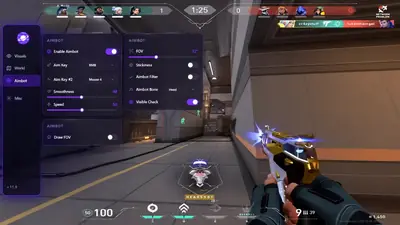
The aimbot tab sets FOV smoothness speed stickiness and bone. Visible check keeps the pull on players you can actually shoot.
Weapon handling.
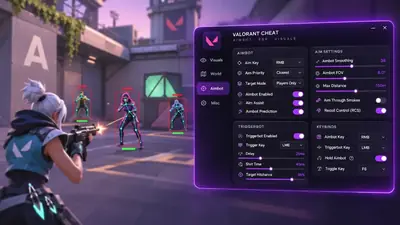
Recoil control sits beside the aimbot tab. Use it for spray weapons. Leave it off for Vandal taps if you want the shot to look like yours.
Fire on pixel.
Triggerbot fires when a target crosses your crosshair. Delay and hitchance sit on the same panel. It fits Operator holds better than a wide aimbot pull.
Utility layer.
Ability ESP marks trips turrets darts smokes and traps per agent. Combat mode hides this layer when a fight starts so the screen stays readable.
Plant and defuse.
Spike ESP shows plant location defuse progress and remaining time through walls. Clutches often come down to that number.
Filter the overlay.
Visible check only draws players the game already treats as visible. Full wallhack stays available when you want every box.
Each option.
Every listed option has its own switch. A Valorant patch can change which switches still run. Confirm the current game build before you queue.
Store
Compare the cheat menu and the utilities on this grid. Open a product page for the feature list and checkout.
ESP aimbot wallhack triggerbot and spike tracking in one overlay.
ESP aimbot wallhack triggerbot recoil control ability ESP and spike timer.
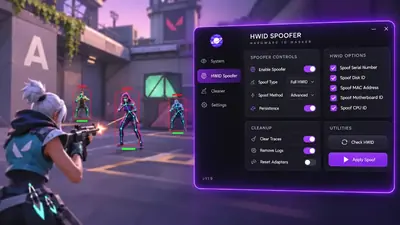
Disk serials MAC addresses and GPU IDs get a new pass. The cleaner in the license runs before the next sign-in.
After a hardware flag this license rewrites disk serials. It also rewrites MAC addresses GPU IDs and related fingerprints. Trace cleanup is in the same license.
A Hyper-V environment for one Windows PC with guided installation and encrypted activation.
Cloud DMA may require GREENWARD Static Server and AWS as separate purchases. Check the full requirements at checkout.
Weapon skins and knives drawn on this PC without a separate purchase for each cosmetic.
A small client paints premium weapon skins on your screen. Knife variants are included. Other players do not see the swap.
Why us
valo-cheats.com ships loader builds after a Vanguard change. ESP shows agents utility and the spike. Operators answer tickets from the Support page.
Patch-day loader updates
A loader build goes out within hours of a Valorant or Vanguard change. Confirm the current game build before you queue.
Aim settings
FOV smoothing bone and visible check sit on the aimbot tab. Triggerbot and recoil control are separate switches.
Live operators
Support handles loader setup ESP configs and HWID resets from the ticket form.
Menu options
Flip each listed option on or off. After a patch open the menu and see which switches remain.
Compatibility
Match the current Valorant build before you launch. A Vanguard update can change what still runs.
HWID reset and license moves
Support handles HWID clears and a move to another PC. Other shops often lock one machine or bill every swap.
Hours
Patch turnaround
How long a loader build takes after a major Valorant or Vanguard change.
Tickets
Operator support
People on shift for loader setup menu configs and account questions.
Portal
Delivery
The loader and saved configs arrive in the operator portal after checkout.
Setup guide
The Valorant cheat arrives in the operator portal. Download the loader set the menu then launch Valorant.
Open the portal and download the loader
Launch and configure modules
Launch Valorant
How it works
Three steps from choosing a product to a portal profile you can load next time.
3 easy steps
Choose your product
Pick the cheat suite or a utility when the issue is this PC or an account limit.
Launch and configure
Download the loader from the portal turn modules on and set ESP and aim before a live match.
Save your profile
Save the menu profile in the portal so the next session starts from those settings.
Blog
ESP and aimbot setup overlay tuning and patch-day checks for Valorant.
VAN 152 follows the machine not the login. Here is how the fingerprint works why a reinstall is pointless and the sequence that actually clears a flagged PC.
VAN errors are not cheat errors. They are Vanguard refusing your firmware. Patch failures are a different thing. Identify which one you have before you touch anything.
You can wear a Reaver Vandal without owning it and nobody else will know. How client-side skin swapping works what it changes and what it cannot.
FAQ
Answers for this page. The FAQ page holds the rest.